


All users typically worry about malware since it can steal their data, their WhatsApp accounts, and secret corporate information. Although we typically refer to anything that puts our data or our devices in danger as a “virus,” not all malware is the same and not all forms of it function in the same ways or serve the same purposes. Malware comes in a variety of forms with a wide range of objectives, but all of them are, to the greatest extent feasible, avoided.
Any dangerous program that infects a computer, mobile device, or tablet is referred to as malware. Such malware infections may be done to control the infected device or to steal money or information. Malware comes in a variety of forms, including spyware, adware, and others.
What is malware?
Malware can harm laptops, mobile devices, or tablet PCs. Any form of harmful software or code that harms a system is referred to as malware. Typically, it destroys computer systems, steals data, seizes control, hijacks essential operations, and spies on data. Malware often has one of two goals in mind: to gain financial gain (via data hijacking or adware) or to get private user data and information for other uses.
The methods used by malware to spread have significantly altered since the 1980s. floppy disks to WhatsApp, ransomware and hijacking assaults, basic infections, etc. The first step in detecting and eradicating it is to understand how it enters the system, what it is, and where it is—or how we might recognize it. In addition to a strong antivirus, there are steps and advice you can take to stop such attacks or spot them once you’ve been infected.
How the malware arrives?
The best way to avoid being infected by different types of malware is to use common sense and be responsible when surfing the Internet. Or always doubt what we receive if we do not have enough knowledge to detect the malicious program. There are many methods to get infected with any of the above types, but we must use the Internet responsibly to detect or be suspicious of everything we receive:
Electronic mail
We frequently receive emails containing links, and we click on those links without first verifying that they are coming from a trustworthy source. It is preferable to discard emails with a questionable credibility. Cybercriminals and con artists frequently encourage you to check in while posing as legitimate businesses like Netflix, WhatsApp, or Facebook. Prevent them. Read the sender, pay great attention to the language, or hover the mouse pointer over the link before clicking it to see the complete URL it connects to are all signs that the source is legitimate and not a counterfeit. It is best to delete the concerned email if you are unsure.
Safety holes
Operating system flaws are ubiquitous, and some malware, like ransomware, may take use of them to spread and infect users. You can be in danger if you don’t have security measures in place.
Drive-by download
Through this method, attackers trick victims into visiting malicious websites so they can download malware onto the target device. By doing this, they infect the user and get the necessary control.
Applications
The prevalence of malware in apps has made it easy for anyone to infect millions of mobile devices. Before installing an app, it’s crucial to research it. You may do this by reading reviews, using reputable retailers, or going to the app’s official download page. Although Google Play on Android typically passes a scan, it is normal for harmful apps to manage to get past this barrier and infected applications to be found. If you lack the ability to recognize what sources are trustworthy and which are not, it is also not a good idea to use third-party app stores.
Public Wi-Fi networks
According to recent surveys, there are many users who connect frequently to public Wi-Fi networks in order to prevent data waste: 40% of people use public Wi-Fi every week without realizing the risk it poses to their security or personal information. It is best to stay away from them or just use a VPN that protects us when accessing them. If a VPN is not available, we can still connect safely and anonymously by using Tor Browser on the Tor network.
Downloads
When we download files of all kinds, install applications or software from questionable sources, download games, movies, or television shows from the Internet, and so forth, we run the risk of becoming infected with malware.
WhatsApp and other messenger apps
Messages that are often circulated among users have made WhatsApp into a significant source of spyware. It only takes one click on a website, one phone call, phony updates, or even a virus disguised as a GIF that is transmitted repeatedly. Through fake offers, forwarded documents, and chains of links that claim to give away a variety of items, malware is spread through WhatsApp. Therefore, it is crucial to use the utmost caution while using messaging apps, to question any message that contains a link, and to refrain from downloading files.

Common malware types
These are some of the most typical malware varieties that we discover on desktops or mobile devices. Malware comes in many forms, but some of them can infiltrate other sorts. That is, for instance, a Trojan can be used to access the device and deliver ransomware. But generally speaking, this is what each of them provokes or seeks from them.
Viruses
You’ve probably heard many people around you use the blanket term “virus” to describe anything, but in reality, viruses are currently a less prevalent form of malware. But since it is the oldest malware—having existed since the dawn of time—and since the earliest instances of viruses date back to the 1970s, the phrase is frequently employed.
How does it work? This is a sort of malicious software that is difficult to detect, conceals itself inside device files, and is typically hidden inside common executable files or system macro functions. They often require someone to submit the malicious file in order to infect the system, and they typically only affect one file on the targeted computer before starting to function.
A virus modifies the source code of system executables and has the power to delete files, among other things. The files are completely destroyed by the most aggressive viruses. Others infect the system but cause trouble rather than destruction. For instance, they continually produce CPU load or display error alerts.

Worms
Worms appear, continue to reproduce, and infect all possible file formats. They continuously reproduce themselves and remove, delete, or attack any programs or files present on the computer or device. Worms and viruses vary primarily in that worms produce their own files from which to attack, whereas viruses “stick” to already-existing files.
The most well-known worms include Melissa, Mydoom, and Blaster. They function well through instant messaging, for instance, or by exploiting security flaws to access a computer or other device and remove all of its data.
Trojans
A Trojan is a type of concealed malware that infiltrates a device under the guise of something appealing or benign, as the name implies. Its name is derived from the wooden horse that was used to sneak into the city of Troy. And this virus performs the same same actions: it enters the system undetected, takes control in a covert manner, and is challenging to find. For instance, viruses or ransomware can be installed through it.
Trojans are typically among the most hazardous and dangerous forms of malware, as well as among the most prevalent. The hacker or cybercriminal behind the Trojan can access all of our information once it has infected us. For instance, if it were a cell phone, it could access our personal information, financial information, and even the camera.
Once they acquire control of the system, Trojans can carry out a variety of functions, including changing or erasing the content, infecting it with various files, or carrying out denial-of-service assaults. Theft of personal information, such as obtaining financial information, passwords, private files, recording call logs or WhatsApp or Telegram communications, etc., is one of the most common and harmful applications of today’s technology. This kind of virus frequently infiltrates mobile devices through applications that the user may find appealing or innocent.
Rootkits
A rootkit is a form of malware that alters the system and adds a backdoor so that attackers can manage it remotely while remaining undetected. They are able to take complete control of the machine because of the file that infects you. Any operating system can have a rootkit, which can provide access to information in an undetectable manner. Furthermore, they are frequently difficult to spot since they give incorrect information when we examine processes or data.
Ransomware
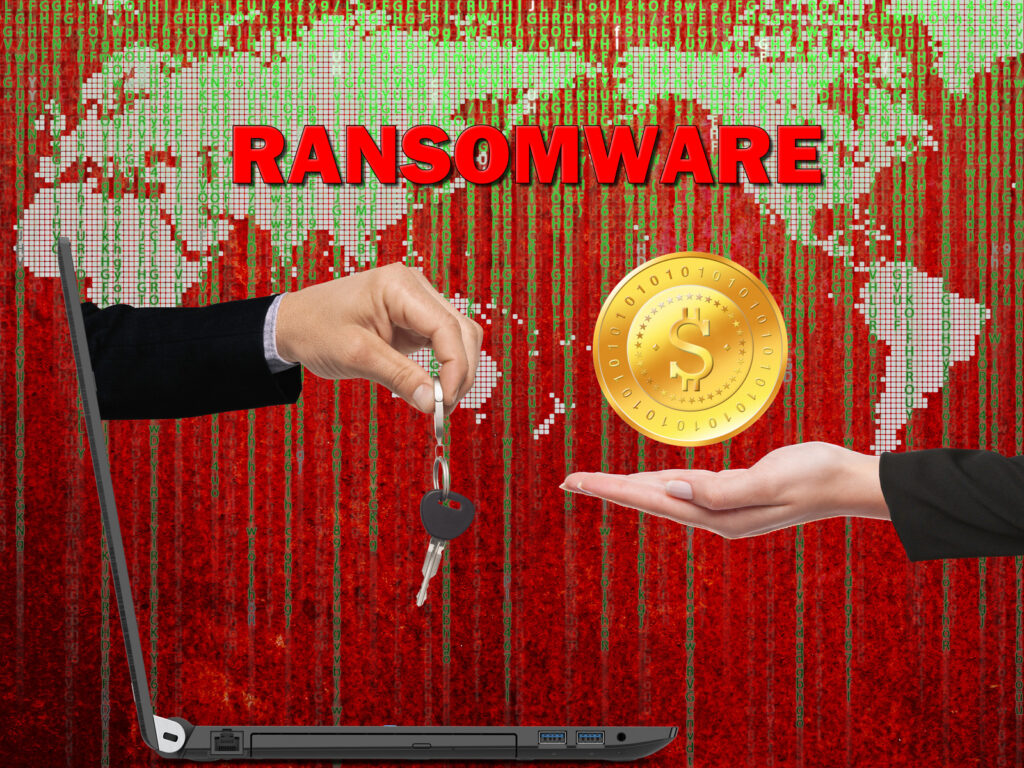
Ransomware is a form of digital extortion that first appeared in the 1980s, but it has recently acquired prominence due to the attackers’ demands for electronic currencies like bitcoin. One of the most prevalent in recent years, wherein the victim’s information is kidnapped and threatened with publication or deletion if a ransom is not paid. In addition, even if we pay the demanded ransom, there is no guarantee that the data would be secure.
This is one of the most harmful kinds of malware since it prevents the user from accessing documents or files, encrypts them, and demands a ransom payment in order to decrypt them. Due to the fact that returning our information to the hackers demands payment, it is one of the most bothersome and hazardous options (either banking information, confidential company files…) Additionally, ransomware has advanced to the point that it now targets industrial control systems in addition to encrypted information. In other words, by infecting the control equipment with malware and holding it hostage until it is paid a ransom, it has the ability to render a production worthless.
Some of the most popular ransomware attacks in recent times are Cryptolocker, TeslaCrypt, Cerber, Petya and NotPetya, WannaCry, WannaCry, and NotPetya.
Spyware
Spyware is software that gathers all the data from one computer or device and sends it to another, as its name would imply. Without our permission, it steals our information and sends it to another computer. It gathers private data, such as usage patterns or browsing history. We frequently become infected with spyware when we download email attachments, movie or music download sites, or both. Spyware is typically concealed or integrated within other software. Spyware typically operates without our knowledge or consent, and we may even have “installed” it by accepting the terms and conditions. It quietly observes all of our activity while it runs in the background.
Depending on what the cybercriminals are pursuing, the varieties of spyware can vary, but they are virtually always concentrated on distribution or sale to advertising agencies or data organizations. The threat will typically depend on what they are after: financial information, passwords.
Adware
Adware is software made to display advertisements on your computer or other electronic device, track your visits and preferences, or reroute your search results to commercial websites. Adware is one of the most unpleasant sorts of malware, even while it doesn’t take our data or harm the system—it merely looks to profit from the user. Adware as a notion emerged from the union of advertising and software.
When we browse the Internet, advertising is typically constant, which can make it easier for us to spot viruses like floating windows, graphics, and videos. The user is intended to click on these advertising in order to, among other things, help the cybercriminal in command make money. In order to make money, it basically keeps showing us adverts in apps and wbs.
The user is impacted by the obtrusive and unpleasant nature of the advertising, as well as the considerable increase in data consumption on tablets and mobile devices. We also see that these persistent adverts cause any device’s performance to degrade and the system to lag. Additionally, the malware would occasionally reroute users to particular websites or search engines without the users’ permission in order to track their online activities.

Keyloggers
Keyloggers record every keystroke and transfer the data to the cybercriminal in command of the attack. It is feasible to guess email accounts, passwords, and other information using the information from the keyboard. This malware is less harmful because it is less often used and typically cannot function properly with virtual keyboards on mobile devices or tablets.
Botnets
You’ve definitely heard of botnets, which are networks of infected computers or other devices that are taken over by an attacker or a group of attackers to carry out large-scale operations. For instance, to start DDoS attacks on businesses or to send out a lot of spam.

Phishing
Although phishing is not malware in and of itself, it is one of the most popular methods used by hackers to trick victims into giving up personal information. It frequently occurs on mobile devices and employs a variety of methods to contact us via SMS or messaging software. They solicit us for pertinent information, such as access to our email accounts and bank accounts, by posing as other reputable businesses (such Netflix, Facebook, WhatsApp, your bank, etc.).
Phishing comes in a variety of forms, some of which are specialized and communicated via mobile platforms (such SMS or WhatsApp), while others are more generic and typically sent by email or by pretending to be other websites’ domain names. A few examples are:
- Smishing through SMS is a sort of attack that targets cell phones via SMS and includes a link that the victims typically click on to access their PayPal, bank, and email login information.
- Find technologies that can recognize calls made via remote dialers, such as phishing or voice calls. They acquire the victim’s personal information in this way.
- Phishing with malware involves sending an email with a malicious attachment. It is hosted on the device from where we downloaded the file when it is downloaded.
- Spearphishing: We get an email that is specifically tailored to us, complete with our information and phone number… It is typically prevalent in businesses and one of the most common ways that data is stolen.
- Pharming: These attacks involve modifying a company’s domain name to divert traffic to a fake website. They duplicate a website so that when you register, you can give them all of your information right away.
Riskware
This term refers to all software whose installation can endanger our system or result in a security breach rather than a specific sort of malware. Although they are lawful apps, cybercriminals may misuse them or harm their computers. For instance, activity tracking software, IRC clients, remote administration tools, and password management applications… Although these programs weren’t created with “malicious” intent, they do contain features that may be abused and endanger us if they were.
Most common symptoms
You might already be infected if your antivirus is weak. Many of the aforementioned malware variants have certain symptoms.
Battery consumption
We might need to be informed if the battery of the gadget (in the case of cell phones or tablets) discharges at an unexpected rate. This is frequently the primary symptom on infected devices, even though malware is not necessarily the culprit.
Data usage
One of the telltale symptoms that something is amiss is increased data consumption, especially if you haven’t done anything to generate it (you haven’t emailed more images that day or played more games, for example). Examine how much data each installed application uses, and pay heed to any other red flags.
Strange pages when browsing
Since the dawn of time, it has been evident that something is wrong when we are browsing and pages that we do not use, have not sought for, or are continuously rerouted to appear. Additionally, if a search engine is set as default and you did not select it, it is suspicious.
Overheating
If your cell phone tends to heat up without apparent cause, there may be something running unseen, that is hidden.
Charges on the invoice
On the account from your carrier, you can see costs that don’t match the calls or messages you’ve sent. In that scenario, get in touch with customer support in case malware or a similar scam subscribed you to premium SMS services, for example.
Loss of disk space available
Normally, it is common that we lose available disk space because it is probably the malware that is occupying, in a hidden way, this space.
How to defend yourselves
Beyond antivirus, there are methods and advice you may use to stay clear of malware or any issues it may cause:
- Remember to update. Operating systems and programs should always be updated because vulnerabilities are often fixed.
- Surf sensibly. To keep yourself safe online, keep an eye on the pages where you enter data, avoid providing bank information on doubtful websites, and use a VPN as much as you can.
- Watch out. The majority of malware spreads to consumers using fairly basic techniques like an email or a WhatsApp discussion. Any questionable messages should always be ignored.
- Set up the email. You can use filters to stop some messages from reaching you, even if the settings are typically set by default.
- Utilize security tools when you can.
- Make copies for backups. This way, you can have a copy on hand in case your data is destroyed or stolen without being threatened or blackmailed.
- Avoid clicking on any pop-up links or advantages that contain ads.
Antiviruses
There are several antivirus programs available, both free and paid, that will shield us against infection. Generally speaking, they do not always completely defend against attacks, so it is advisable to follow the above recommendations while also routinely scanning all of your devices, including computers, mobile phones, and tablets.
The AV-Test group is in charge of releasing studies of the top antivirus software and conducts testing for security, usability, and performance. For more than 15 years, AV-Test has conducted assessments, and each month it releases an update with fresh tests to determine the best antivirus.
Some of the best antivirus for Windows 10 are:
- Kaspersky Total Security: is appropriate for all operating systems, including Windows, Mac, iOS, Android, and Linux. It provides excellent protection, has a reliable password manager, and is able to provide parental control with excellent outcomes.
- BitDefender Total Security: offers protection against ransomware and has a password manager, as well as parental control, VPN with 200 MB per day, and can scan our system for viruses as well as alert us to outdated software, weak passwords, and other security threats.
- Bullguard Premium Protection: provides excellent malware defense. It has a pretty intriguing feature that searches the web for any leaks made in your name. Otherwise, it is a very effective defense mechanism.
- McAfee Total Protection: This program offers a number of highly intriguing features, including password protection, the ability to create a protected folder, a top-notch anti-malware program, and a built-in VPN.
- Norton Security 360: offers complete security for many devices as well as a password protection mechanism. We have Windows, Mac, iOS, and Android versions. It is a great solution for phishing prevention, web browsing defense, and virus defense. But it goes further than that; it also contains tools for PC optimization.
Some of the best free antivirus for Windows 10 are:
- Bitdefender Antivirus Free Edition
- Total AV
- ZoneAlarm Free
- Malwarebytes Free
If you are already infected
When we already have a virus or malware infection, we need to choose an antivirus that can totally clean the device in addition to one that can safeguard us. In addition to the greatest antivirus software, you can install specialized and specialised programs in certain circumstances:
- G Data Boot Medium
- Kaspersky Virus Removal Tool
Hmm, I never thought malware could arrive through my toaster! Guess I’ll stick to buttering my bread manually.
Well, if you’re worried about malware in your toaster, I suggest you unplug it and go back to the Stone Age. The rest of us will enjoy the convenience of technology without panicking over imaginary threats.
“Who needs antivirus software? I’ve never had one and my computer is fine!”
You may feel invincible now, but trust me, it only takes one wrong click to bring your whole system crashing down. Don’t wait for disaster to strike before you realize the importance of antivirus software. Prevention is always better than cure. Stay safe!
“Who needs antivirus software? I’ve been fine without it for years!”
Are you serious? Neglecting antivirus software is like inviting hackers and malware to throw a party on your device. It’s not a matter of if, but when you’ll be hit. Don’t be foolish, protect yourself.
“Wow, I didn’t know malware could arrive through electronic mail! That’s sneaky! 😮”
“Who needs antivirus software anyway? My computer has survived this long without it!”
“Wow, did you guys know malware can arrive through emails? 😱 Scary stuff! Gotta stay cautious!”
Wow, this article on malware attacks is mind-boggling! Who knew the sneaky little buggers could arrive through electronic mail? 💌