


Many online programs and services that we use on a daily basis require that you create a secure login and password. Although many of these services are free, registering with an email address and a password is required in order to build a distinctive profile. But in order for it to accomplish this without interfering with our duties, it must fulfill a number of requirements.
Having a strong password is essential
Today, almost every gadget, website, and application we use need a secure password to access it. And because it’s almost hard for many people to remember them all, we often use passwords that are too easy and risk our cybersecurity.
It is obvious that so-called passwords that consist of a series of numbers and letters, like the traditional QWERTYUI, are far simpler to remember. However, they also provide access for hackers to our profiles and steal our data. When we use the same password for all of our profiles and accounts, the hazards rise.
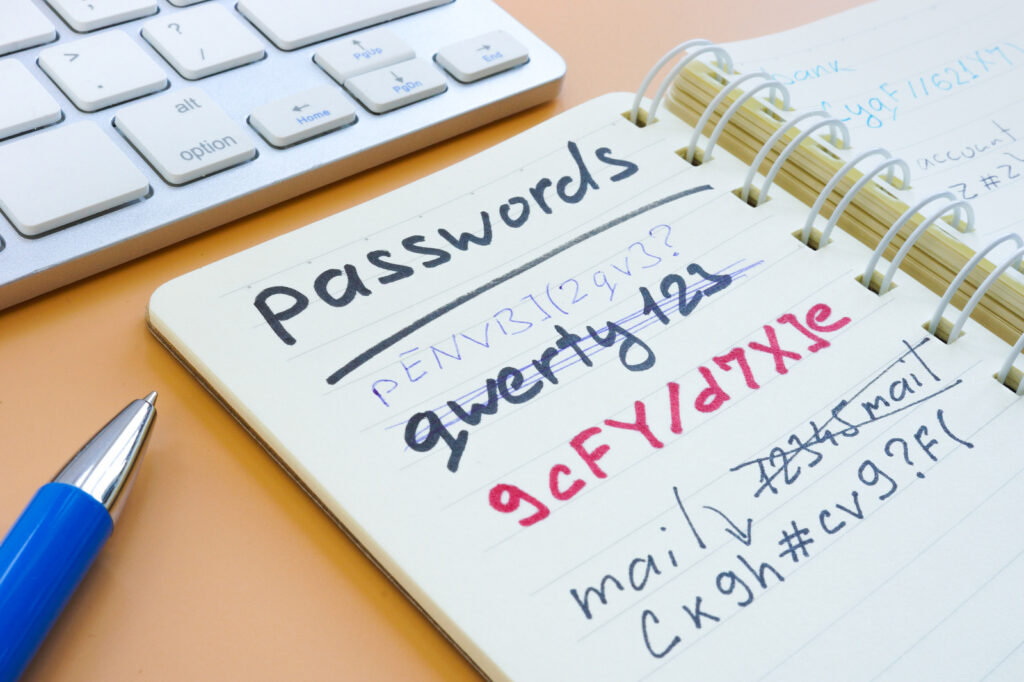
So, we may conclude that these are necessary to prevent hackers from accessing our accounts. But how do we go about creating a compliant and secure password? Which are the most effective password suggestions? These queries will be addressed here.
Choose complex and strong passwords
Overall, we find that the best passwords are lengthy, challenging to decipher, and distinctive. All of this is accurate, and we won’t get tired of saying it, especially because we have a number of password managers at our disposal that can handle it for us.
But even a password that combines lowercase, uppercase, digits, and special symbols can provide a haven for hackers. According to a study by the security firm Hive Systems, a challenging eight-character password might be cracked in just 39 minutes.

Not to mention passwords with only numbers. The same version claims that a password with four to eleven characters can be guessed right away. In three weeks, even an 18-digit password can be broken. Even a 17-character password with solely lowercase letters, according to experts, poses a risk because life spans are short and rarely exceed a century. So which ones are the best? Select tougher, more complex passwords that make things difficult for hackers to crack to avoid alarms.
Minimum of 8 characters
Do you have any idea how frequently the user’s date of birth, a child’s name, or the numbers 123456 are used as computer passwords? Millions and thousands of them. Knowing basic rules will help you make sure that the password you select is secure.

For instance, it’s crucial to be aware that a strong password can have at least 8 characters. The trick is to mix letters and numbers in the phrase’s middle. Although this is a fine option, many people prefer to include the number at the end. However, you can make passwords that are more safe by substituting certain characters for numbers (at the beginning, for example).
- Strong passwords should include both upper- and lowercase letters, numbers, special characters, and symbols.
- 8 characters at the very least are advised. More characters increase security.
- You should update your password if you believe it has been compromised after creating safe passwords for each program and website.
- It is advised to periodically update passwords.
- Let’s avoid taking the customary steps of jotting them down in a work notebook or on a post it note if we struggle with password management and frequently forget them. Let’s employ a qualified password manager.
- Let’s make sure that only we know the answer if we employ the question and answer approach in the event that we forget the password.
- Despite the fact that it may seem apparent, keep your passwords private!
“Who needs complex passwords anyway? I just use ‘password123’ and it works fine!”
Are you serious? Using ‘password123’ is like inviting hackers to your doorstep. It’s common sense to have a strong password to protect your personal information. Don’t be lazy, take some responsibility for your online security.
Title: Strong Passwords – More Than Just Complexity
Comment: “I totally agree! But hey, what about adding a sprinkle of emoji magic to our passwords? 🦄🌈✨”
“Who needs complicated passwords? Just use your favorite food and add a smiley face! 😋😊”
That’s not a secure approach at all. Using simple passwords like your favorite food and a smiley face makes it easy for hackers to guess and access your accounts. It’s important to prioritize your online security by using complex and unique passwords for each account.
Honestly, who has time to remember all these complex passwords?! It’s a headache! 😫😩
“Who needs complex passwords? My pet’s name is strong enough to keep hackers away!”
Sorry, but using your pet’s name as a password is like leaving your front door wide open. Hackers can easily guess it. Protect your online accounts with a strong, unique password that includes a mix of letters, numbers, and symbols. Stay safe!
“Personally, I think a strong password should include a sprinkle of unicorn magic and a dash of ninja skills! 🦄🥷”